


Lucknation casino mobile version: play in the browser, the account and logging in from a phone
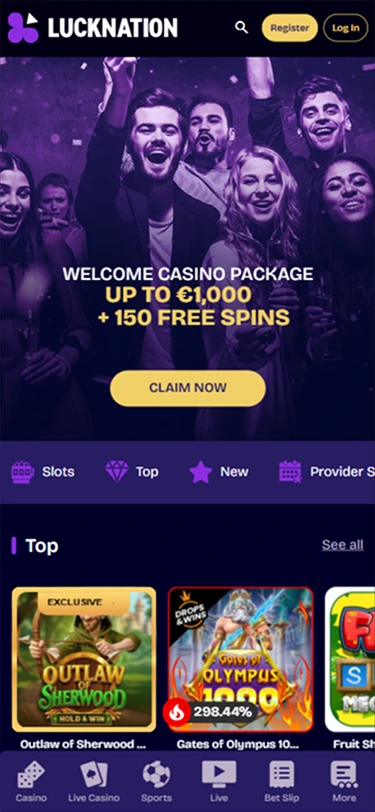
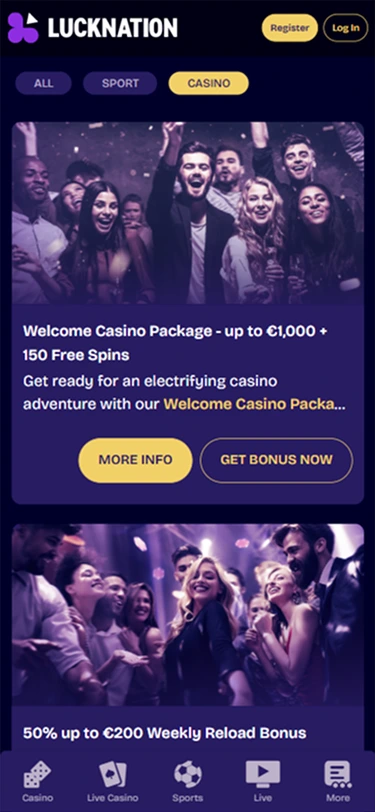
The first thing you notice on opening Lucknation casino on mobile is the absence of a “download” button. The platform has no app on Google Play or in the App Store, all play runs in the mobile browser at the same address as on a computer. The catalogue, live tables, betting and the personal cabinet open from a single account, and no separate registration for a smartphone is needed.
This page is about the mobile side: how the site behaves in a browser, how much data it uses, what is inside the personal cabinet and how to log in on mobile. Deposits and withdrawals are covered in the material on the cashier.
Is there a Lucknation app
The platform has no app of its own, and that is clear from the site itself: there is no install link at the foot of the page, in the menu or in the help. No native version is offered for Android, and there is nothing in the App Store for iOS either, so the wish to download the app for Android and iPhone has no official answer here.
There is a useful side to this. Since no official file exists, there is nothing to fake. Any “Lucknation app” or “casino apk” on a third-party site is someone else’s build, so the notion of installing an APK safely does not really arise, there is nothing genuine to install. A login and password entered into such a copy go not to the operator but to its author.
A shortcut on the home screen
You can make an icon on the phone screen yourself, using the browser, and I checked this on both systems. On an iPhone in Safari it is the “Share” button and the “Add to Home Screen” item, on Android in Chrome it is the three-dot menu and the “Add to Home screen” item. It takes under a minute.
The shortcut opens the site with one tap but essentially stays a link, not a client. Promotion notifications will not come through, and without the internet the icon is as useless as a bookmark. For a daily log-in this is enough, for alerts about new offers you will have to look into My Promotions yourself.
The operator gives no guarantees on how it will run on a particular phone model: the rules only advise checking the site on your own device in advance, and take no responsibility for glitches caused by a weak device or a poor connection.
Lucknation mobile casino: sections and catalogue in the browser
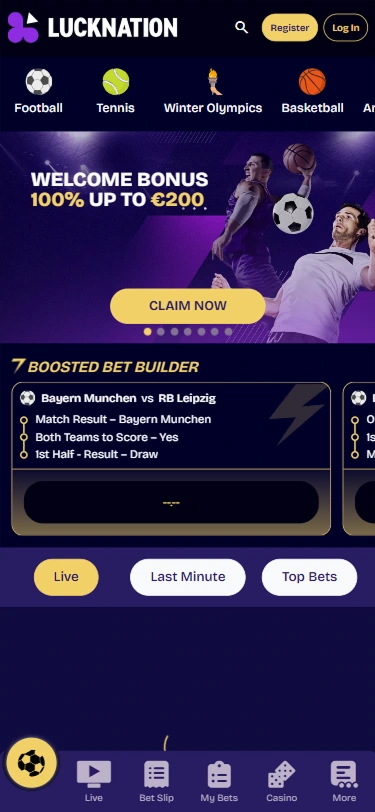
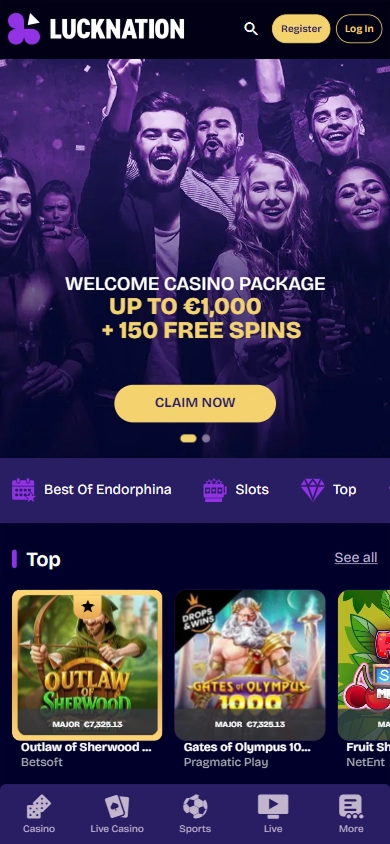
The browser version is not cut down, everything available on a computer is there in it. The top menu is complete: Home, Casino, Live Casino, Sports, Live Betting, Virtual Sports and Promotions.
The catalogue categories are the same as on desktop: Slots, Top, New, Lucknation Jackpot, Bonus Buy, Sport Games, Book Of Slots, Hot, Cold, Table Games, Megaways, Casual and Best Of Endorphina. The provider and volatility filters work, so you find the title you want quickly rather than scrolling through the tiles one after another.
The set of games is complete: slots, live tables, virtual sports, a progressive jackpot and the Spin Express and Spinoleague tournaments. A breakdown of the catalogue and providers is set out in the material on games, the sports line in the material on betting.
The active-offer panel is fixed at the foot of the screen, with a button through to topping up, and it holds on every page while the offer is running.
Data use and connection quality
The site’s sections load the mobile internet differently, and on a limited plan or a weak signal the difference is noticeable.
| Section | Data use | Behaviour on a dropped connection |
|---|---|---|
| Slots, virtual sports | small, light animation | after reconnecting the session resumes from the current point |
| Live tables, streams | high, video stream | the round is not paused: the bet stands, but you cannot affect the outcome after the drop |
If the connection is weak, it is more sensible to stick to slots and leave the live casino for moments with steady Wi-Fi.
Another feature of the browser version is that the page reloads on each opening of the site. The use is small but constant, and a shortcut on the home screen does not remove it, it only shortens the route to the address.
Lucknation Account: the Personal Cabinet
The personal area opens via the profile icon in the top right corner. I opened it both on desktop and mobile, the only difference being the layout: the panel is the same.
At the top you see the email address, the overall balance and two separate lines, Sport Bonus and Casino Bonus. Sport and casino are counted apart, because holding two active credits at once is not allowed.
Below are two collapsible blocks, Banking and Account, and under them Messages, My Promotions, Preferences and a log-out button. Beside Logout the time of the last log-in is shown, a reference in case of doubt about someone else’s access. There are no top-up or time limits here, and self-exclusion is arranged by letter to support for a term from 24 hours.
The full side menu looks like this:
- Bet History keeps the betting history, separately for sport, casino and live casino;
- My Promotions shows active offers and credits;
- Preferences handles the username and language;
- Deposit and Withdraw lead to the cashier;
- Transaction List gathers the operations on the account;
- Personal Details holds the profile form;
- Mailbox is set aside for internal messages;
- Change Password changes the password.
Personal Details holds the profile form, and without it the cashier will not open. It is worth filling in straight away: the address and postcode are later checked against a document during verification, and an error in the spelling turns into a refusal. The set of fields and the order of filling them in are covered in the material on registration and log-in.
Transaction List, Bet History and Mailbox
Transaction List is set aside for operations on the account. The rules, meanwhile, advise keeping your own record of transactions too, so that there is something to lean on if a dispute is examined.
Bet History is laid out by direction: sport, casino and live casino open as separate sections through the icons in the Account block. The operator suggests checking the correctness of accepted bets after each session and disclaims responsibility for unnoticed discrepancies.
In practice this means that a disputed bet spotted a week later will be hard to sort out. Mailbox handles internal messages, while the main channel for account communication remains the registered email, and keeping it in working order is the owner’s duty.
My Promotions: active offers and opting out
The section is split into two parts: active offers at the top, active credits below with a separate Bonus History tab. For each you see the name, status, the connection and end dates and an OPT-OUT button. The terms of different offers vary widely, so the end date is worth checking here rather than from memory.
There is also a coupon field here: the promo code goes in it or later in the cashier on a top-up. The OPT-OUT button matters in practice: while a credit is active, withdrawals are unavailable, and opting out frees the account for a request. The terms of the offers and the codes are covered in the material on bonuses.
Lucknation login from a phone
Logging in from a phone is no different from logging in from a computer: the account is shared across all devices. If you have already signed in from this phone, the session is usually kept, and there is no need to enter the details again.
The password, if necessary, is changed in the cabinet, in the Change Password section, and on a shared or someone else’s phone it is worth logging out after each session. If access is lost, recovery goes through the Forgotten Password button on the log-in screen or through support. The detailed recovery procedure is covered in the material on registration and log-in.
Who the mobile version suits
Lucknation casino online in a phone browser gives everything a computer does: the full catalogue, live tables, betting and the cabinet from a single account, with no installation and no risk of hitting a fake build. For a player who signs in every day, the absence of an app is almost unnoticeable.
The other side:
- there will be no offer notifications on the phone, a browser shortcut does not give them;
- live tables need a steady connection, on a weak signal a round cannot be recovered after a drop;
- there are no automatic limits in the cabinet, self-exclusion is by letter only;
- the page reloads on each opening, which is noticeable on a slow connection.
The mobile version is closer to those who play slots and bet on sport on mobile and expect no client with notifications. Anyone fond of live tables on mobile internet should first check the stability of their network.