


Lucknation Casino registration and log-in
Registration at Lucknation casino, a platform under an Anjouan licence, is set up in an unusual way: the offer is chosen before the form itself, and the form is split across two short screens. It can be completed in a couple of minutes and without documents.
One detail on the form decides how smoothly the first payout will go: the first and last name have to be entered exactly as on the ID, marked “same as your ID”. Below I will go through the order of registration step by step, the log-in, recovering access, the one-account rule and who the platform does not admit at all.
Lucknation Registration: a step-by-step guide to opening an account
Before the form itself you make one intermediate choice, and then fill in two screens. I will go through it in order.
Choosing an offer before the form
Before you enter a single field, the platform asks you to settle on an offer. There are three options and the chance to do without them:
- Welcome Casino Package up to €1,000 and 150 free spins;
- Welcome Sports Bonus 100% up to €200;
- the Coupon Code field, if you have a code;
- the Continue without choosing a bonus button opens an account with no offer attached.
The wagering terms are covered in the material on bonuses and promotions. The choice comes before the form, so weigh it up straight away rather than on autopilot.
The first step of the form
On the first screen there are just two fields: the email address and the password, with a show icon beside it to check what you have typed before submitting.
Below are two ticks. Agreement with the Terms & Conditions and Privacy Policy is required, without it you cannot go further. The second tick, consent to messages by phone, SMS and newsletter, is marked optional and can be cleared. The NEXT button leads to the second screen.
The second step of the form
Here the personal details are gathered in this order:
- gender, Male or Female;
- First Name and Last Name, both marked “same as your ID”;
- Country and Currency, in the Irish example Ireland and Euro;
- Cell Phone with the country code, for Ireland +353, with the sample “+353 XX XXX XXXX” below the field;
- date of birth via three selectors;
- Address, Postcode, City, in exactly that order.
It all ends with the CREATE ACCOUNT button, and below it a line stating that, by continuing, you confirm you are 18 or over.
From going through it myself I will add: enter the email and number without rushing. An error in the address will leave you without account emails, and a wrong phone number will complicate contact with support.
All these fields are later available in the account, in the Personal Details section, where they are edited and saved with the SAVE ALL CHANGES button. The check against the document at withdrawal goes by what is recorded at the moment of verification.
The name as on the ID: why a match decides the outcome of the first withdrawal
The “same as your ID” mark under the first and last name looks like a minor hint, but in fact it is a condition of the future payout. At the check, three sources are compared at once: the name in the profile, on the identity document and on the address confirmation. A mismatch in one place is enough to stall the check.
The rules directly require entering accurate and complete details and keeping them current. If the information turns out to be deliberately false, the account is suspended with a written notice, and in certain cases the operator reserves the right to approach law enforcement.
For Irish names the warning is specific. A shortened form instead of the full name, a skipped middle name, diacritics not in the passport, for example in surnames with Ó or with a fada over a vowel: at registration it will all go smoothly, but at the first attempt to withdraw money the check will stop.
Enter the name exactly as it is printed in the document you will later bring to verification.
Lucknation Fast Registration: what is required and what can be skipped
The form is short, and there is almost nothing to skip in it. There are only two optional spots.
| Form item | Requirement | What it means |
|---|---|---|
| Choosing an offer | Optional | Continue without choosing a bonus opens an account with no promotion |
| Marketing consent | Optional | An optional tick, clearing it does not affect registration |
| Email and password | Required | The first screen, without them you cannot go further |
| Personal details | Required | Gender, name, surname, country, currency, phone, date of birth, address |
| Agreement with the terms | Required | Terms & Conditions and Privacy Policy |
No documents are requested at this stage, there is no upload field on the form. The identity check comes later, before the first withdrawal, and the operator has the right to request documents at any moment, suspending betting until they are received.
Log-in by email or username and the role of the registered address
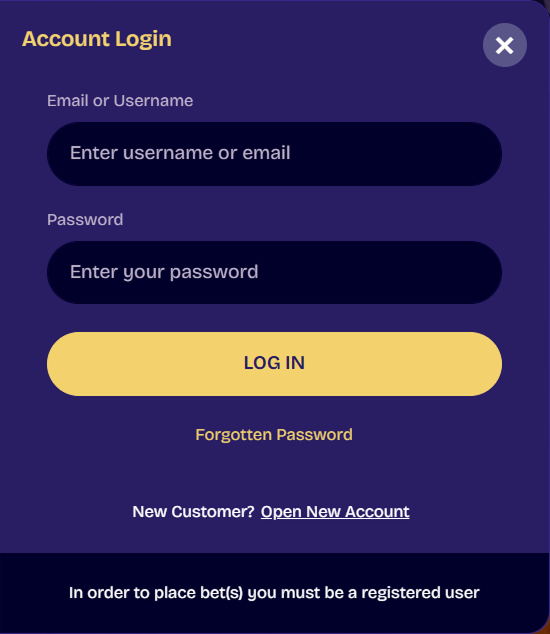
Log-in is done on the Account Login screen, where the first field is called Email or Username and the second Password. You can sign in either by the email address or by the username, and the password is the one set at registration.
The Log In link sits in the site header and under the registration form, next to New Customer? Open New Account for newcomers.
The email works not only as a login. In the rules it is called the Registered Email Address and declared the main channel of communication: through it come notices of changes to the terms and messages about the account. Keeping the address in working order is the owner’s duty, and without an accessible email the account is suspended until a current address is provided.
Direct responsibility comes with the login details. If the login and password are entered correctly, the operator has the right to consider that the bets, deposits and withdrawals were made by the owner, and disputing such an operation will not work.
If there is a suspicion that the password has been exposed or the email hacked, support must be told at once: the account will be suspended after the report, and until that moment responsibility for all actions stays with the owner.
Password reset and locking of the Lucknation Account: what to do on losing access
If the password is forgotten, recovery goes as follows:
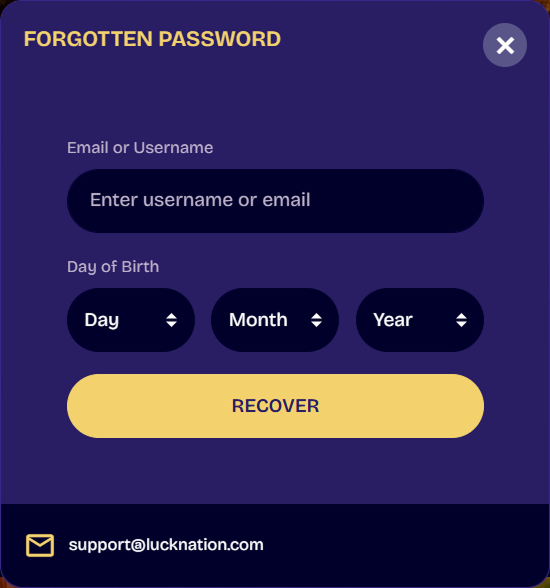
- Press Forgotten Password on the log-in screen.
- Enter the Email or Username.
- Give the date of birth via three selectors and press RECOVER.
- A link comes to the email, through which a new password is set.
At the bottom of the same window is the address [email protected], in case access could not be recovered this way.
The current password can be changed in your profile, in the Change Password section: the old password, the new one and its repeat. The rules advise updating the password regularly, not passing it to anyone and ending the session after each use.
If logging in does not work at all but money remains on the balance, the funds are not lost. Even from an inaccessible, dormant, blocked or closed account they are paid out through customer service. If the email is hacked, the operator will first request additional documents, make sure it is dealing with the owner, and only then restore access.
Support works around the clock: by letter to [email protected] or through Live chat, which opens with a button on any banner of the site. Before it starts, the chat asks for the email or username. If there are no operators at that moment, a written request is offered instead of the chat.
One player, one profile: by what signs duplicates are identified
The ban on several profiles is wider than the repeat registration of one person. The rules consider matches on data not directly linked to identity.
The check looks at the individual, the family, the home address, the email, the payment account number, cookies, the IP address and a shared computer, for example one at work or in a library.
Those acting for a player are treated as offenders too: representatives, relatives, partners and connected persons. Linked profiles are closed, and all credits, free bets and winnings on them are written off. How to work out the link the operator decides itself, which the rules call “any reasonable means”.
A profile cannot be sold, gifted or bought from another person, and transferring money between the profiles of different players is not allowed. For rented housing and shared computers this is a direct risk: a second profile at the same address or IP may be judged linked to someone else’s.
Who is not admitted to play: countries, athletes and age
The restrictions are checked twice: at registration and before withdrawal, so getting past them at entry and counting on it going unnoticed at payout will not work.
For a player from Ireland the second and third groups have practical weight, because the country itself is on no closed list.
| Restriction | Whom it applies to | What it means in practice |
|---|---|---|
| By country | Residents of and those logging in from closed jurisdictions: the Comoros, the United Kingdom, France, the Netherlands, the USA with its territories, FATF blacklist countries, bans by the Anjouan Offshore Financial Authority | An account cannot be opened. Ireland is not on the list |
| By involvement in sport | Professional and amateur athletes, coaches, referees, club owners and staff, league officials and members of their families | Access is closed both in the live casino and on the slots, regardless of citizenship |
| By age | Persons under 18 | The account is blocked, winnings withheld, deposited funds returned less charges or held until the age of 18 |
The list of countries for verification documents is wider than for registration: it additionally includes Austria, Germany and Spain. Ireland is on neither list.
Lucknation Verification: when documents will be requested
Registration goes through without a single document, but that is only a postponement. A full Lucknation KYC check is requested in three cases: when the total of your deposits over all time exceeds €5,000, when you first submit a withdrawal request, and when some operation looks suspicious to the system. Almost everyone falls under the second case.
A set of three documents: a photo ID, a selfie holding it and an address confirmation. The requirements on validity, the countries of issue, the order of the check and what can block a payout are covered in the material on the cashier.
What to do right after registration at Lucknation IE
Two actions in the first days will save you from delays later.
Check the profile. The full name in Personal Details must match the ID. If you made an error at registration, fix it in advance rather than at the moment of the withdrawal request.
Gather the documents. A photo ID, an address confirmation no older than 3 months and a selfie holding the document. It is better to prepare them before the check becomes compulsory.
Self-exclusion is worth knowing about in advance: it is arranged by letter to [email protected], a minimum term of 24 hours, processing of up to 10 working days. Lifting it before the term is only possible by a written request in the same format.
Registration in brief: where it is handy and where it needs attention
Lucknation casino online opens an account in a couple of minutes and without documents: a form of two screens, the offer chosen before the details are entered, log-in working by both email and username, access recovery provided by a separate form.
Everything usually checked at entry is here put off until later. Identity is confirmed before the first payout, and the deposited money has to be wagered by then, the terms in the material on the cashier.
Things to remember:
- the name on the form must match the document, or the very first withdrawal request will stop;
- the one-account rule is strict: a shared IP, address or computer can lead to both profiles being closed;
- athletes, coaches and their families are barred from access altogether, and Irish residency does not change that;
- self-exclusion is arranged by letter only, and so is its lifting.